Mac · Apple silicon

ACNet for Mac

A native Mac workspace for the network you manage. See which devices answer, which apps use your data, what the packets contain and how your Wi‑Fi behaves as you move.

Free download. ACNet Pro is optional.

Coming to the Mac App Store · requires macOS 26 or later on a Mac with Apple silicon

ACNet Pro plansMac setup guide

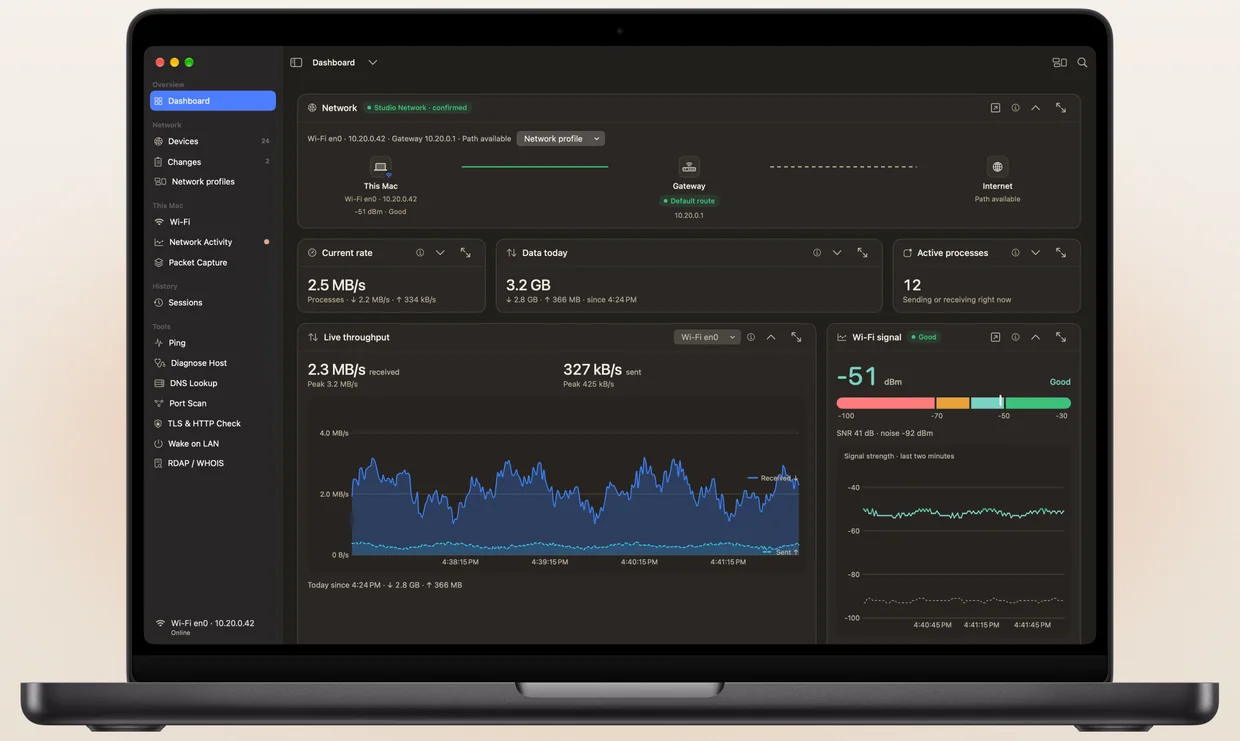
ACNet Dashboard on a MacBook Pro
Demonstration network · sample data. Current rate and Active processes come from Network Activity, part of ACNet Pro.

Workspaces

What ACNet does on a Mac

Real ACNet for Mac screens from a demonstration network. Names, addresses and measurements are sample data.

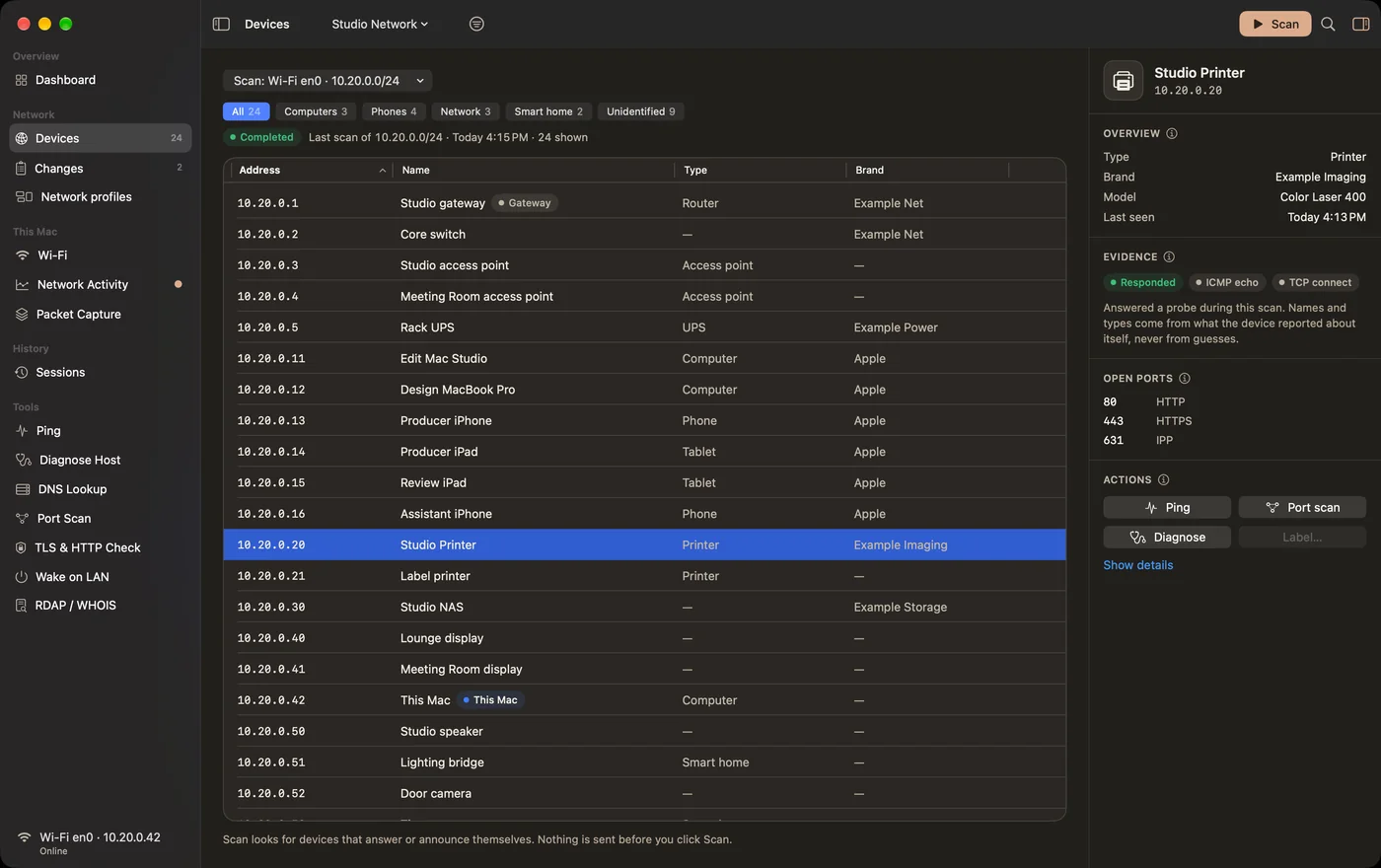
DevicesFree

Scan the address ranges you choose and see which devices answered, with addresses, reported names, types and open services.

  • Evidence shows where each name or type came from.
  • Ping, port scan or diagnose a device from its inspector.
  • Network profiles keep scans, labels and rules for each network.
Devices in ACNet for Mac

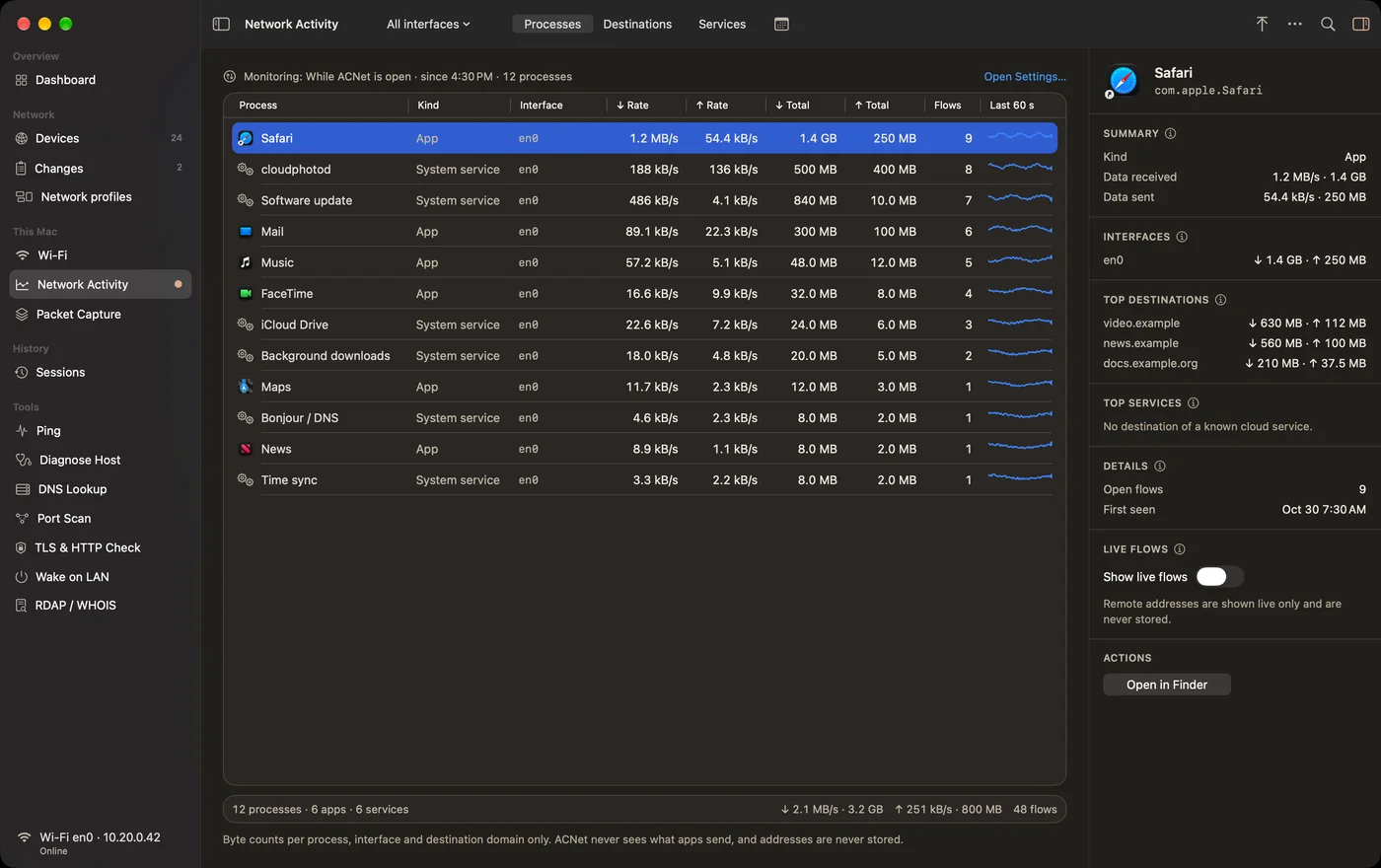
Network ActivityACNet Pro

See which apps, system services and tools on this Mac send and receive data, on which interface and, if you choose, to which destinations and cloud services.

  • Monitoring is off until you choose While ACNet is open or Always.
  • Byte counts stay on this Mac in 5‑minute steps for 30 days (7 or 90 in Settings).
  • Observe-only: every connection passes unchanged.
Network Activity in ACNet for Mac

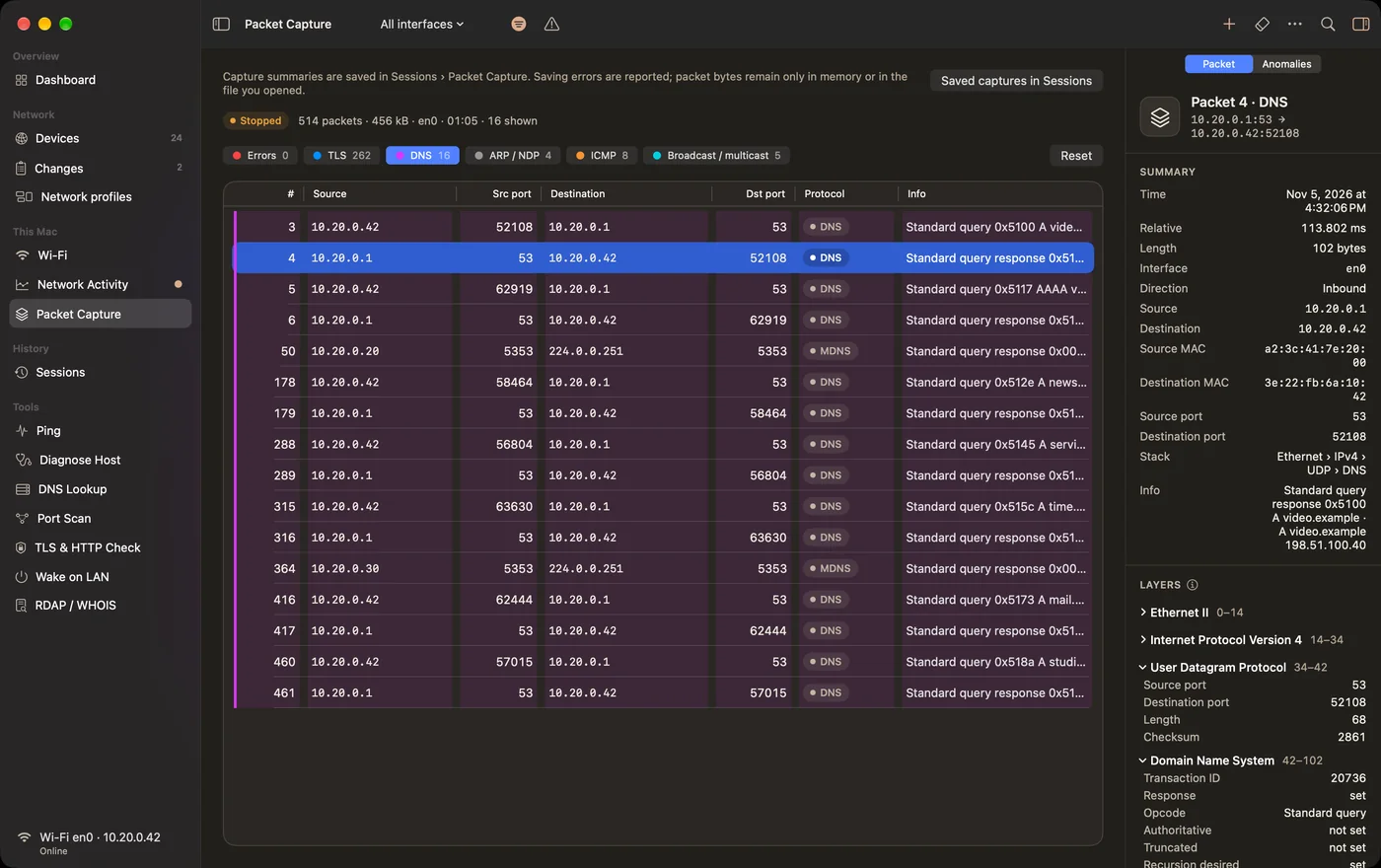
Packet CaptureACNet Pro

Capture the packets this Mac sends and receives, filter them by protocol and inspect each layer. Open pcap and pcapng files from other tools.

  • Packet bytes stay in memory. A saved capture keeps one-line summaries.
  • A pcapng file is written only when you export one.
  • The Anomalies view lists packets that deserve a closer look.
Packet Capture in ACNet for Mac

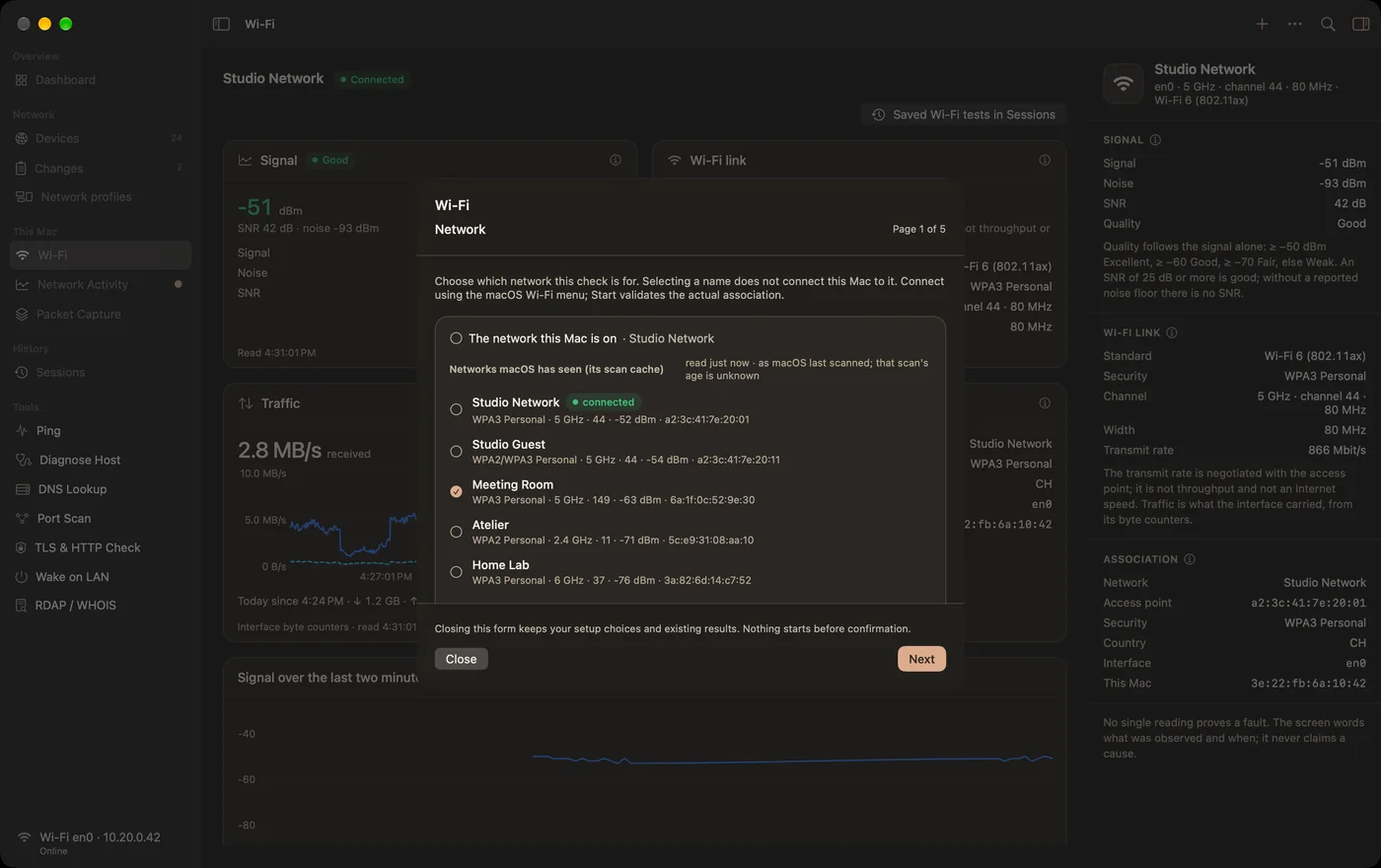
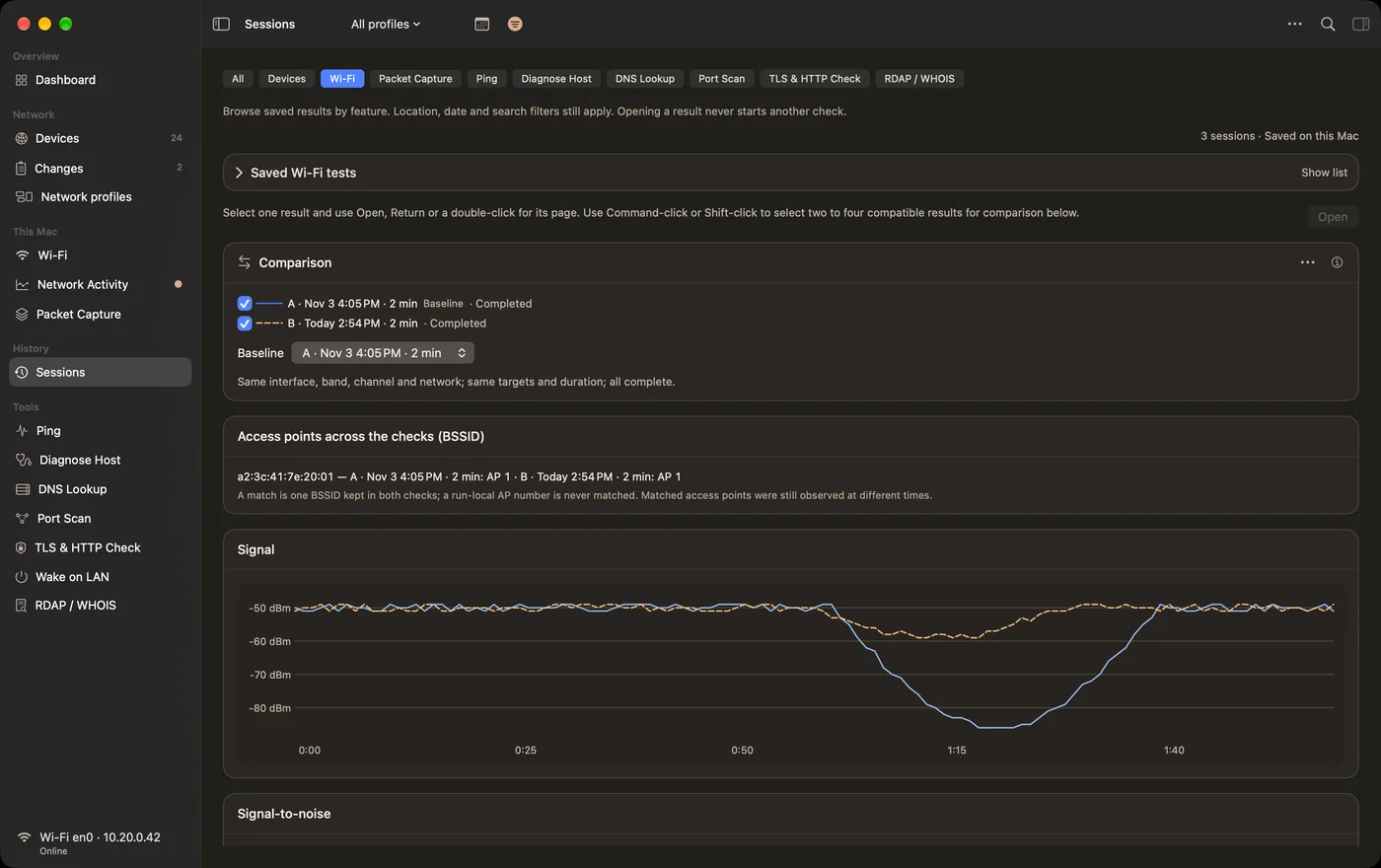
Wi‑FiFreeACNet Pro

Signal, noise, band, channel, width and security of your connection, and the networks your Mac has seen. The Wi‑Fi Overview is free.

  • The network name and access point appear after you allow Location access.
  • A Connection Test measures 1 to 15 minutes in one place. Starting it needs ACNet Pro.
  • Saved tests and their comparisons stay free.
Wi‑Fi in ACNet for Mac

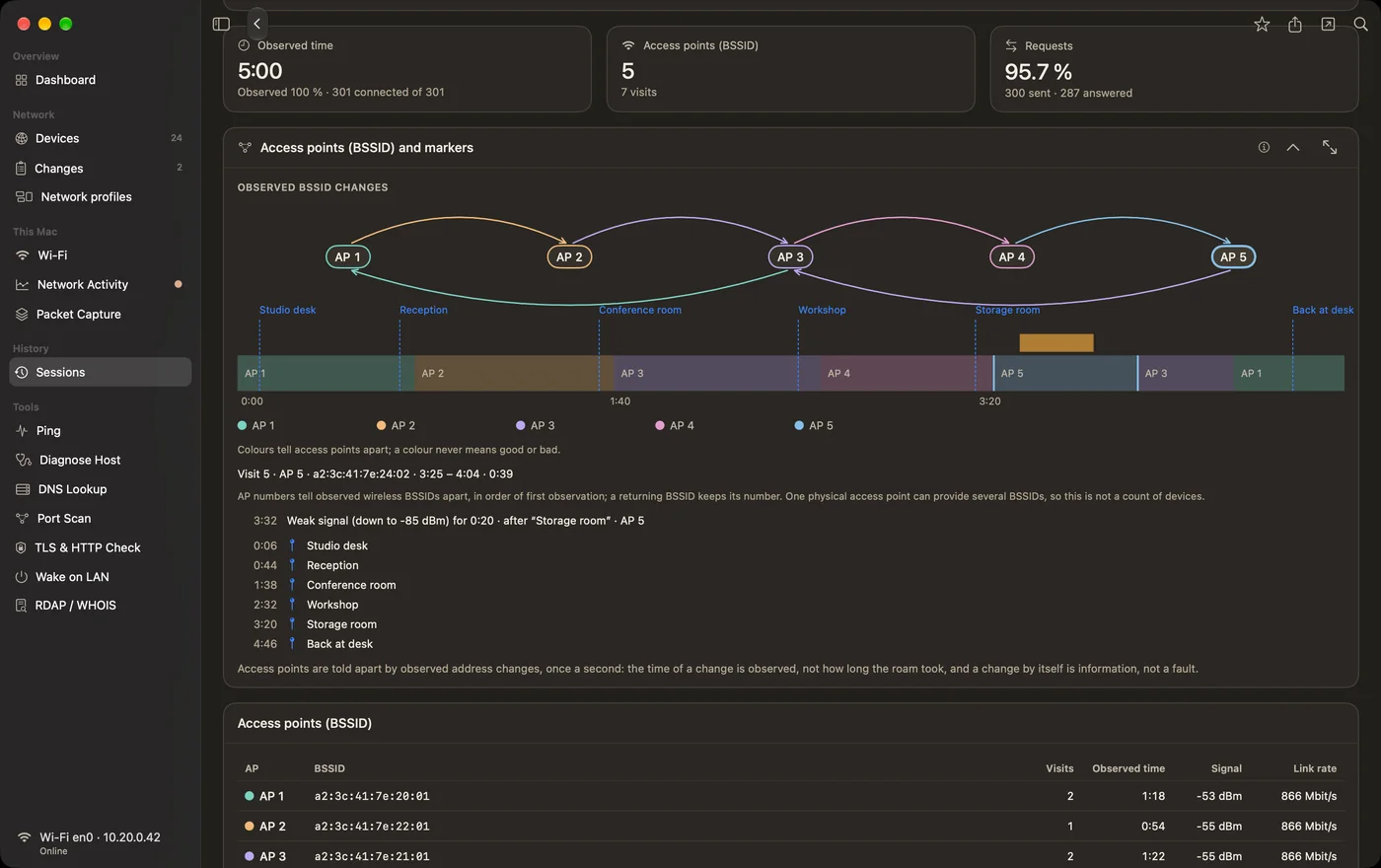
Wi‑Fi Walk TestACNet Pro

Walk through your space with your Mac. The Walk Test shows each access point (BSSID) it observed, the room markers you set and where the signal dropped.

  • Probes go only to the targets named before you start.
  • Results are saved in Sessions and stay readable without a subscription.
Wi‑Fi Walk Test in ACNet for Mac

SessionsFree

Every saved result in one place, including results recorded with ACNet Pro. Open, compare and export them at any time, with or without a subscription.

  • Delete single results or set how long history is kept.
  • Nothing leaves your Mac unless you export or share it.
Sessions in ACNet for Mac

Free and Pro

What is free, what needs ACNet Pro

ACNet for Mac is a free download. ACNet Pro unlocks three Mac-only workspaces. The iPhone and iPad app stays free and has no purchase.

  • FreeFree

    • Dashboard, Devices and scans
    • Network profiles, rules and Changes
    • The seven tools: Ping, Diagnose Host, DNS Lookup, Port Scan, TLS & HTTP Check, Wake on LAN, RDAP / WHOIS
    • Wi‑Fi Overview, saved Wi‑Fi tests and their comparisons
    • Sessions: every saved result, Pro ones included
    • Widgets and the menu bar item
  • ACNet Pro addsACNet Pro

    • Network Activity and its monitoring, also when ACNet is closed
    • Packet Capture and opening pcap or pcapng files
    • Starting Wi‑Fi Connection Tests and Walk Tests

Dashboard cards and widgets

The Dashboard and all widgets are free. Basic Wi‑Fi status and interface throughput stay free: the Network, Wi‑Fi, Wi‑Fi signal, Live throughput and Data today cards work without a subscription, as do Latest scan, Rules, Changes, Monitoring and Quick tools.

Cards that report per-app activity fill only while Network Activity records, which needs ACNet Pro: Current rate, Active processes, Data in range, Destinations, Top processes and the Network Activity charts. The Network, Throughput, Latest scan and Rules widgets work without Pro. The Network Activity and Packet Capture widgets show results recorded with those Pro features.

When a subscription ends, monitoring turns off and a running capture or Wi‑Fi test stops. Nothing is deleted: your saved results stay in Sessions.
Subscription

ACNet Pro

One subscription, two plans. Both unlock exactly the same features.

  • Monthly

    US$1.99

    per month

  • Annual

    US$9.99

    per year, billed in full once a year

These are US prices. The App Store shows the price for your country or region, in your currency, before you confirm.

  • Free trial: two weeks for eligible customers, once per subscription group, whichever plan you choose. The trial starts when Apple confirms your subscription.
  • Payment is charged to your Apple Account. The subscription renews automatically unless you cancel it at least 24 hours before the end of the trial or the current period.
  • Manage Subscription in ACNet › ACNet Pro… opens the App Store, where you can cancel or switch plans. You can also use the App Store: your name › Account Settings › Subscriptions.
  • Restore Purchases in the same window brings back an active subscription, for example on another Mac signed in with the same Apple Account.
  • There is no ACNet account. Apple handles the purchase and payment.

Data

Your data stays on your Mac

ACNet has no account, server, analytics or tracking. Captures, network activity and Wi‑Fi results are processed and stored on your Mac. Packet Capture and Network Activity use an observe-only system extension that you approve in macOS and can remove at any time.

Capture, scan and monitor only networks you own or are authorised to administer.

Privacy notice for ACNet for Mac