iPhone and iPad
Network diagnostics for iPhone and iPad
Find the devices that answer on a network you are authorised to test, measure the connection, and keep a record of what changed.
ACNet — a free network diagnostic tool by AtefiCloud.
Free on the App Store for iPhone and iPad. ACNet for Mac is coming to the Mac App Store.

Mac
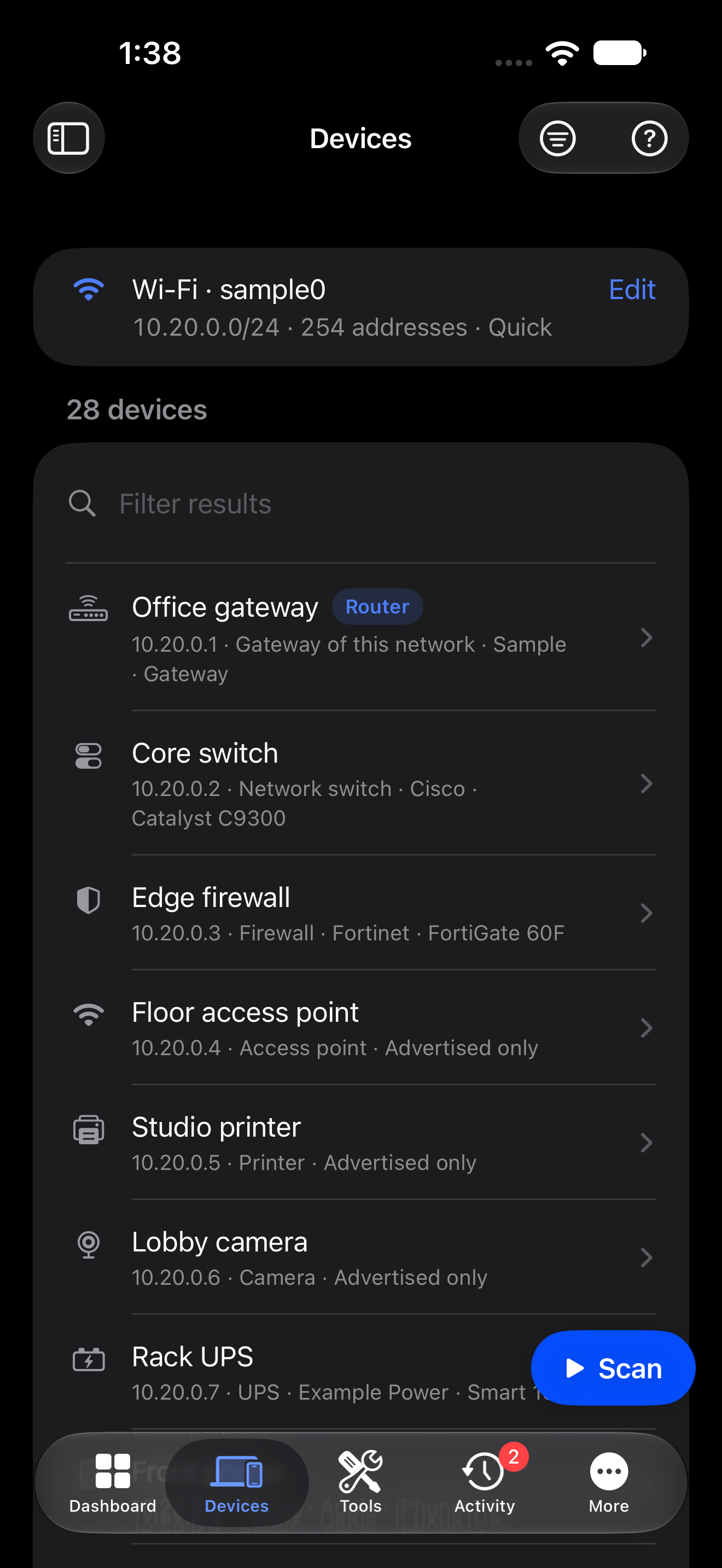
ACNet for Mac
A native workspace for Macs with Apple silicon: devices, Wi‑Fi, a Dashboard and saved Sessions. ACNet Pro adds Network Activity, Packet Capture and Wi‑Fi tests.
Coming to the Mac App Store
iPhone and iPad
Free on the App Store. No purchase and no subscription.
Mac
Free download. An optional ACNet Pro subscription unlocks the Mac-only workspaces: US$1.99 a month or US$9.99 a year, with a two-week free trial for eligible customers.
Screens
The app
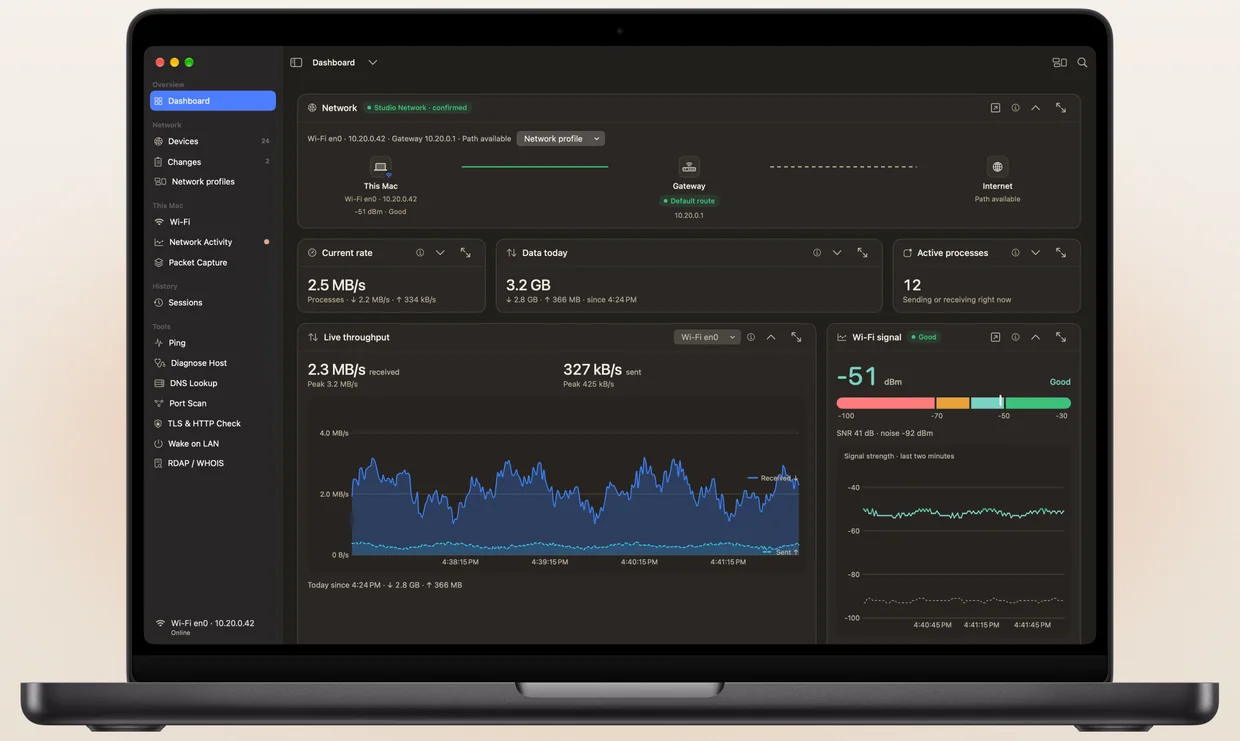
Real ACNet screens. The network in these images is a sample, with illustrative names and measurements.
Devices
Devices that answered, with names and types when the evidence supports them. Open a device to see where its information came from.
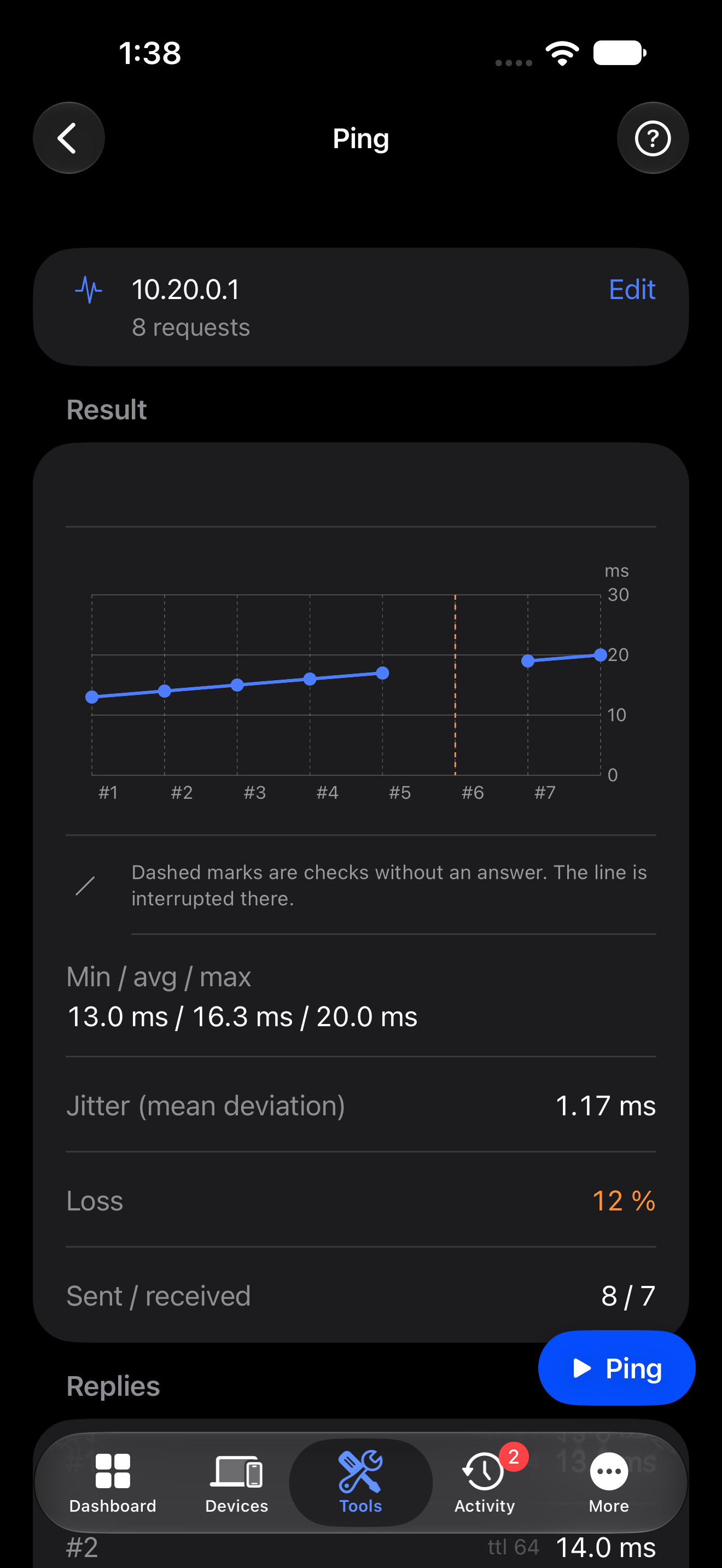
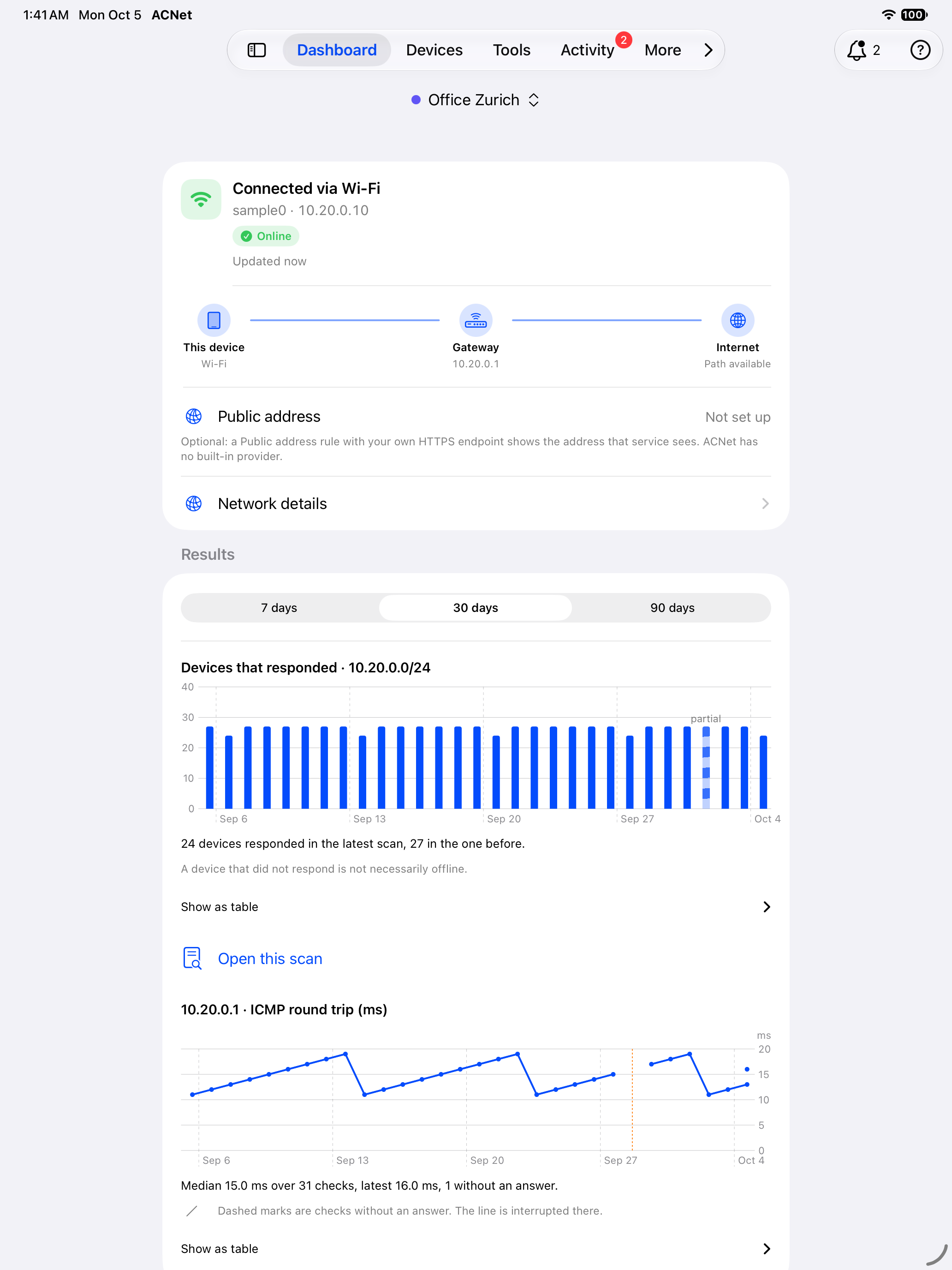
Ping
Reply times, and the gaps where no answer arrived. An unanswered request stays unanswered. It is not shown as zero latency.
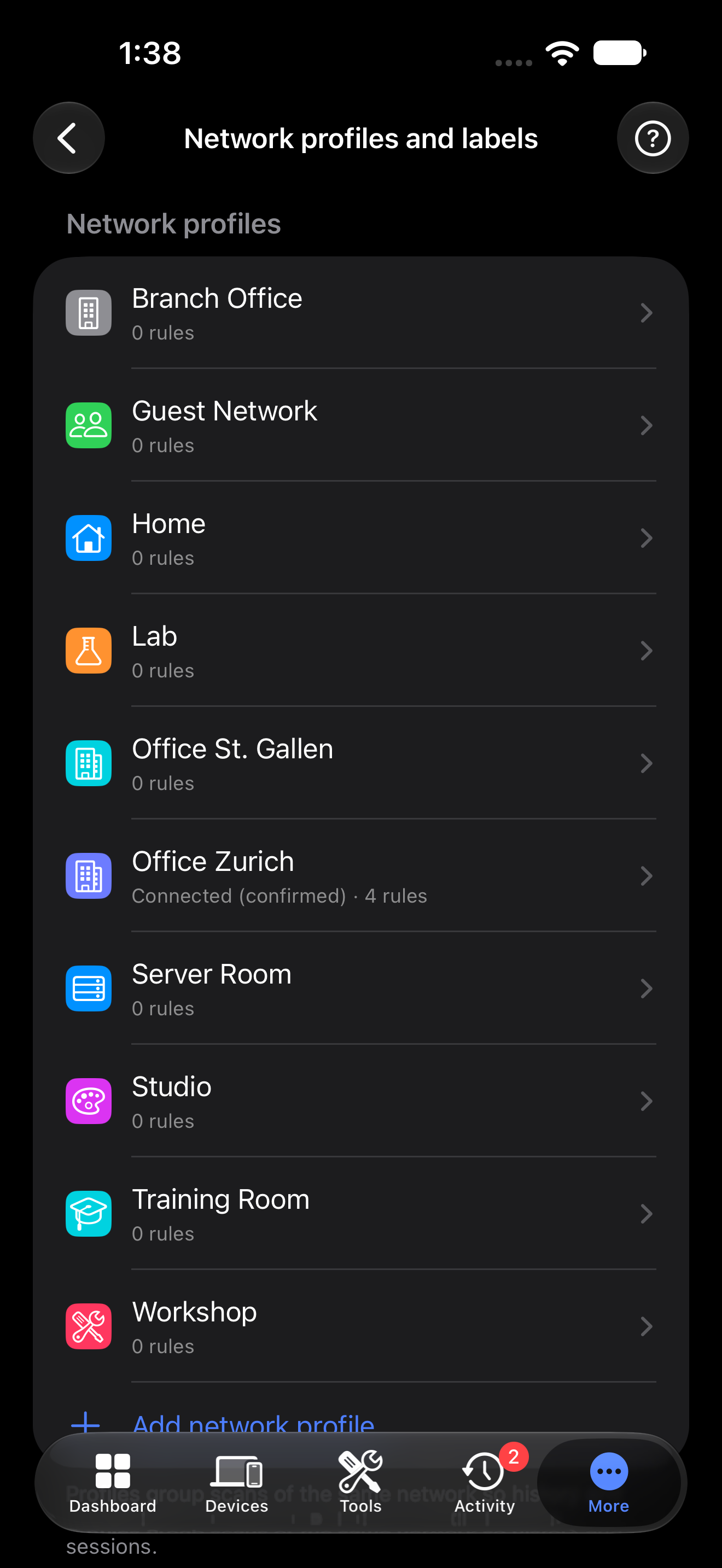
Profiles
Separate profiles for home, office and lab networks. Save a baseline and add optional rules for the changes you want to follow.
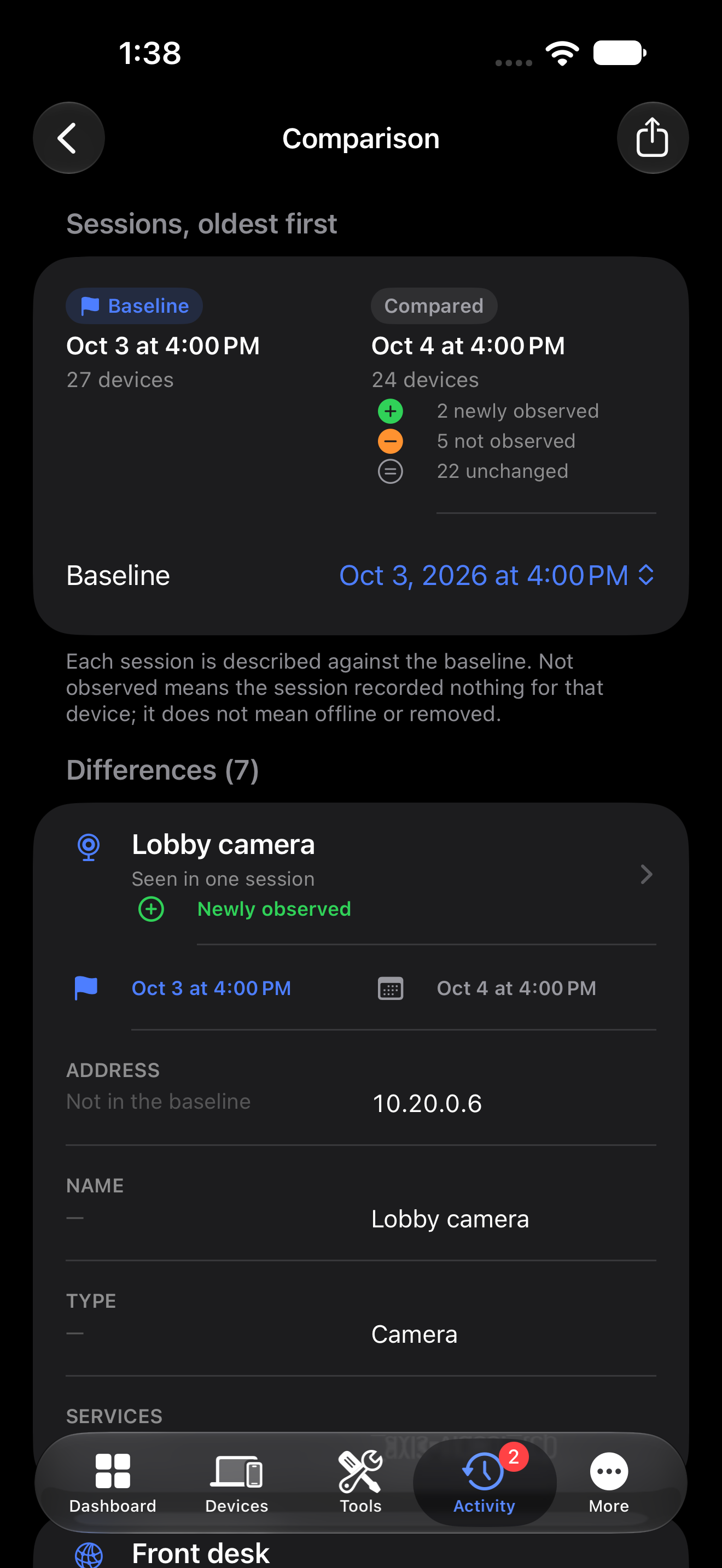
Comparison
Compare saved observations to see what appeared or changed, with the session and timestamp they came from.
Diagnostics
Tools
Run a test from a device or an address you choose. Availability depends on iOS, permission, and the host or service you are testing.
Local discovery lists devices that respond, including addresses, reported names and advertised services.
No scan can guarantee every device. Results depend on which devices answer, network isolation, permissions and what iOS exposes. A device that does not reply is not automatically offline. Names, brands and hardware addresses appear only when reported or supported by evidence. iOS limits access to hardware addresses. Optional read-only SNMP can add information from compatible devices you administer.
Ping
Reply timing, loss and gaps.
TCP Port Scan
Open, refused and unanswered connections.
DNS Lookup
System resolver or one you choose. Inspect the answers.
Diagnose Host
Resolution, connection, TLS and HTTP, step by step.
TLS & HTTP
Connection results and certificate information.
RDAP / WHOIS
Public registration information from registries.
Wake on LAN
Send a magic packet to a compatible device.
Read-only SNMP
Optional management data, using credentials you provide.
Saved results can be exported as PDF, CSV or JSON.
Profiles
Profiles and monitoring
Profiles keep scans, labels and history for each network. Optional rules can follow new observations, reachability, DNS, service ports and certificate expiry. A recorded change stays connected to the measurement it came from.
Background checks run only when iOS grants time. ACNet does not promise continuous monitoring or guaranteed alerts while your device is locked. Notifications can report recorded rule events; they do not make monitoring continuous.
The optional public-address rule requires your consent and an HTTPS endpoint you supply. It stays off until then. A router WAN address is a different observation and may not be a public address.

Data
Privacy
No account, advertising or analytics in ACNet. Saved scans and profiles stay on your device until you export or share them.
Network tests still send requests to the hosts, resolvers and registries they use. Support email includes only what you choose to send.
Help
Support
Help with the app, a test, or a saved result.
App support
Questions and help
support@acnet.chReport an issue
Unexpected behaviour or a fault
report@acnet.chPrivacy
Data and privacy requests
privacy@acnet.ch